
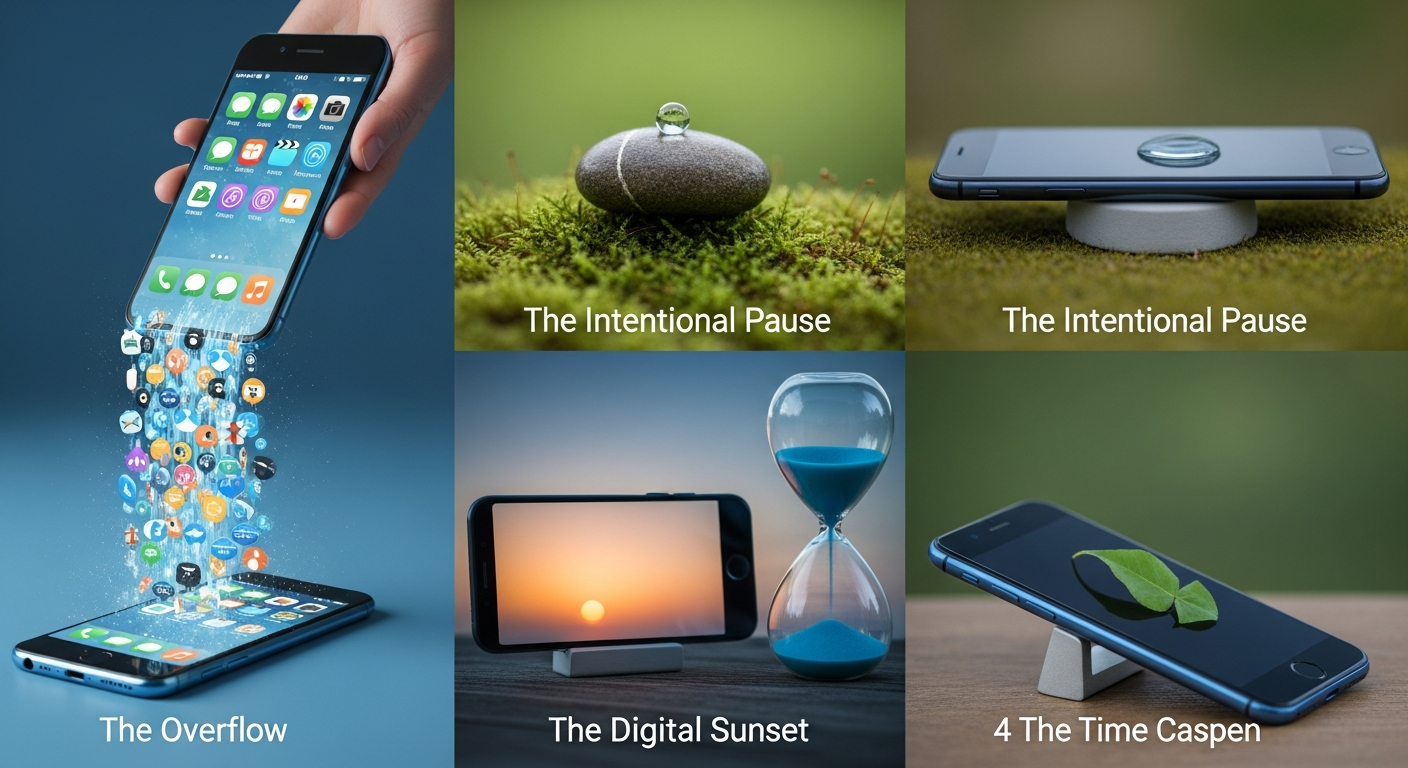
Beyond the Timer: How to Set Phone Usage Limits That Actually Work
In 2026, our relationship with technology has reached a tipping point. With the integration of advanced AI assistants and even more immersive social platforms, the “attention economy” is more aggressive than ever. Most of us have felt that sinking sensation of checking a quick notification only to look up forty minutes later, wondering where the time went. We try to set limits, but the “Ignore Limit for Today” button is far too tempting.
Setting phone usage limits that actually stick isn’t just about technical restrictions; it’s about a fundamental shift in digital wellness. It requires a combination of psychological friction, environmental design, and a clear understanding of your own triggers. If you’ve tried and failed to reduce your screen time before, it’s likely because you treated the symptom (the phone) rather than the system (your habits). This guide will walk you through a comprehensive framework to reclaim your time and focus without living like a hermit.
1. Why Standard App Limits Often Fail
The most common mistake people make when trying to reduce phone addiction is relying solely on the built-in “App Limits” found in iOS or Android. While these tools are well-intentioned, they are designed with a “safety valve” that makes them incredibly easy to bypass. When the 30-minute timer for Instagram expires, your brain—starving for its next dopamine hit—simply prompts you to enter a passcode or click “one more minute.”
Standard limits fail because they don’t address **decision fatigue**. Throughout the day, your willpower is a finite resource. By the time 8:00 PM rolls around, you’ve made thousands of decisions at work or school. When your phone tells you to stop scrolling, you lack the cognitive energy to say “no.”
To make limits work, you must move from **reactive blocking** to **proactive friction**. You need to make the “bad” habit (mindless scrolling) harder to do than the “good” habit (reading, sleeping, or talking to family). Limits work best when they aren’t just a notification, but a physical or psychological barrier that forces you to pause and reflect on your intent.
2. Leveraging Native Tools: The “Nuclear” Approach
To set limits that work in 2026, you need to go deeper into your phone’s settings than just setting a timer. Both Apple and Google have expanded their digital wellness suites, but few users utilize their most powerful features.
#
For iPhone (Screen Time & Focus Modes)
Instead of just setting an app limit, use **Downtime**. When Downtime is enabled, only apps you choose to “Always Allow” (like Maps, Phone, or Music) are available. The rest are dimmed and locked. To make this truly effective, have a trusted friend or partner set the Screen Time Passcode. If you don’t know the code, you can’t bypass the limit. This removes the element of “choice” and enforces the boundary.
#
For Android (Digital Wellbeing & Focus Mode)
Android’s **Focus Mode** allows you to select distracting apps and “pause” them during specific hours. When you try to open a paused app, the icon is grayed out, and the phone reminds you that you’re supposed to be focusing. Combined with **Bedtime Mode**, which turns the screen to grayscale and silences notifications, you can create a sensory environment that makes the phone inherently less interesting.
#
The “Screentime Schedule”
Don’t just limit total hours; limit **specific windows**. Setting a hard stop at 9:00 PM is more effective than saying “I’ll only use social media for two hours a day.” Scheduled limits create a rhythm that your brain can eventually turn into an automatic habit.
3. Creating Psychological Friction: The Grayscale Trick
One of the most effective ways to make your phone less addictive is to remove its visual appeal. App developers spend millions of dollars researching which shades of red and blue trigger the most engagement. By turning your phone to **Grayscale**, you effectively “de-gamify” the experience.
When your Instagram feed or TikTok videos are in black and white, the dopamine reward is significantly diminished. The “infinite scroll” becomes boring. To set this up:
* **iOS:** Settings > Accessibility > Display & Text Size > Color Filters > Grayscale.
* **Android:** Settings > Digital Wellbeing > Bedtime Mode (or search for “Grayscale” in Accessibility).
Another layer of friction is **App Relocation**. We often open apps out of muscle memory. If you move your most distracting apps off your home screen and into a folder on the third or fourth page, you break the “automated” loop of unlocking the phone and immediately tapping the icon. Better yet, delete the app and only access the service via the mobile browser. The clunky interface of a mobile website is often enough friction to prevent a 20-minute scroll session.
4. Designing Your Environment for Digital Wellness
Your physical environment often dictates your digital behavior. If your phone is the first thing you see when you wake up, it will be the first thing you use. To set limits that work, you must establish **Phone-Free Zones**.
#
The Bedroom Sanctuary
The most important limit you can set is banning the phone from the bedroom. Use a traditional alarm clock instead of your phone. By charging your device in the kitchen or living room, you eliminate the “midnight scroll” and the “morning haze” of checking emails before your feet even hit the floor.
#
Charging Stations
Designate a specific spot in your home as the “Charging Station.” When you come home, the phone stays there. If you need to check a text, you must physically walk to the station. This creates a physical barrier that prevents you from carrying the phone from room to room, treating it like an appendage.
#
The “Out of Sight” Rule
Studies show that even the mere presence of a smartphone on a table—even if it’s turned off—reduces cognitive capacity. When you are working or eating a meal, put the phone in a drawer or another room. Out of sight truly is out of mind when it comes to the “pull” of digital distractions.
5. The Mental Shift: From “Restriction” to “Intentionality”
The reason most digital detoxes fail is that they are framed negatively. If you feel like you are “losing” something, you will eventually rebel against your own rules. To make phone usage limits work, you must frame them around what you are **gaining**.
Ask yourself: *What would I do with an extra two hours every day?*
* Would you learn a new language?
* Would you finally start that fitness program?
* Would you have deeper conversations with your partner?
This is called **Intentionality**. Instead of saying “I can’t use my phone,” say “I am choosing to spend my evening reading.”
#
The 30-Second Rule
Before you pick up your phone, practice the 30-second rule. Ask yourself three questions:
1. Why am I picking this up? (Boredom, anxiety, or a specific task?)
2. How long will this take?
3. What could I be doing instead?
Often, the simple act of naming the “Why” is enough to make you put the phone back down. If the “Why” is boredom, find a non-digital way to solve that boredom.
6. Advanced Tools and Third-Party Solutions
If the native tools aren’t enough, 2026 offers a variety of third-party applications designed to enforce stricter boundaries. These are particularly useful for those who work in high-pressure environments where the line between “work” and “life” is blurred.
* **Opal (iOS):** Opal acts as a “digital wellness assistant” that can set “Deep Work” sessions where apps are blocked on a VPN level, making them nearly impossible to bypass until the timer is up.
* **Freedom:** This app works across all your devices (Mac, Windows, iOS, Android). If you block “Social Media,” it blocks it everywhere, preventing you from just switching from your phone to your laptop to get your fix.
* **Minimalist Launchers (Android):** Apps like *Before Launcher* or *Niagara* replace your colorful home screen with a simple, text-based list. This removes the visual cues that trigger app usage.
* **Physical Lock Boxes:** For those who need a “hard” limit, timed lock boxes allow you to lock your phone away for a set period. Once the timer starts, there is no way to open the box until the time expires. This is the ultimate tool for reclaiming family dinner time or deep study sessions.
FAQ: Frequently Asked Questions
#
1. How do I handle work-related messages while my limits are active?
The best approach is to use “Focus Filters” (on iOS) or “Work Profiles” (on Android). These allow you to silence work apps like Slack, Teams, or Outlook after a certain hour while still keeping your personal communication lines open for family. Communicate your “digital sunset” to your colleagues so they know not to expect a response until the morning.
#
2. Won’t I miss out on important news or social events (FOMO)?
The “Fear Of Missing Out” is a powerful psychological trigger, but in reality, most “breaking news” can wait until the morning. If you’re worried about emergencies, you can set your phone to “Do Not Disturb” but allow calls from “Favorites” or repeated calls to break through. For social events, if it’s important, your friends will call or text you directly rather than posting it on a story.
#
3. I set limits, but I keep entering the passcode to bypass them. What now?
This is a sign of a strong habit loop. You need to remove the ability to bypass. Have a spouse, parent, or trusted friend set a Screen Time passcode that you don’t know. If you live alone, write the code on a piece of paper and put it in a difficult-to-reach place (like the attic or your car). The more “work” it takes to bypass the limit, the less likely you are to do it.
#
4. Is “Cold Turkey” better than gradual limits?
Research suggests that gradual reduction is more sustainable for most people. If you use your phone for 6 hours a day, jumping immediately to 1 hour will cause “digital withdrawal,” leading to irritability and a quick relapse. Try reducing your time by 15-30 minutes each week until you reach your goal.
#
5. My kids are also addicted to their phones. Can these limits work for families?
Absolutely. Digital wellness is most effective when it is a group effort. Establish “No-Phone Zones” for the entire family, such as the dinner table or during movie nights. Lead by example; if your children see you prioritizing your phone over them, they will mirror that behavior regardless of the limits you set for them.
Conclusion: Reclaiming Your Digital Autonomy
Setting phone usage limits that work isn’t about hating technology; it’s about loving your time more. In 2026, the world is designed to be distracting. Choosing to step back and set boundaries is a radical act of self-care.
By combining the technical power of “Downtime” and “Focus Modes” with the psychological power of “Grayscale” and “Environmental Design,” you create a system where success is the path of least resistance. It will feel uncomfortable at first—you may feel a sense of restlessness or “phantom vibrations.” This is normal. It is your brain recalibrating to a slower, more intentional pace of life.
Stick with your limits for at least 21 days. Over time, you’ll find that you don’t need the timers as much because the desire to constantly check your phone will have faded. You’ll be more present, more focused, and more in control of your life. Start small, stay consistent, and remember that every minute saved from a screen is a minute given back to your real world.